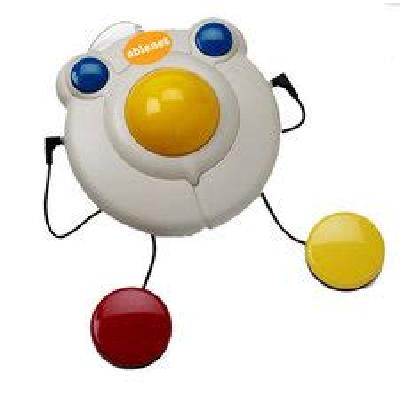
Trackball is a pointing device that allows users to navigate and interact with computers by moving a ball on a surface.
Where To Use Trackball
Trackballs are commonly used in industrial and commercial settings, such as control rooms, data centers, and manufacturing facilities.
Key Features Of Trackball
High-precision tracking and navigation
Durable and long-lasting construction
Easy to clean and maintain
Wide range of customization options available
How To Use Trackball
Place the trackball on a flat surface in front of you.
Gently move the ball to navigate and interact with your computer.
Use the buttons to click and select items on the screen.
How Trackball Is Manufactured
Trackballs are manufactured using a combination of materials, including plastic, metal, and electronics.
Technical Specification Of Trackball
Ball Size:
50mm
DPI:
1000
Buttons:
2
Connectivity:
USB, PS/2
The technical specification of the trackball is designed to provide high-precision tracking and navigation capabilities. The ball size of 50mm provides a large surface area for accurate movement, while the DPI of 1000 ensures smooth and precise navigation. The two buttons allow users to click and select items on the screen with ease. The connectivity options of USB and PS/2 ensure compatibility with a wide range of computer systems.
Description Of Trackball
The trackball is a compact and durable pointing device designed for use in industrial and commercial settings.